What is WSUS?
Windows Server Update Services (WSUS) enables system administrators to manage the distribution of Microsoft’s product updates to company’s network computers.
How WSUS works?
WSUS works in a way that its infrastructure enables system administrators to download updates, patches and fixies in the company’s central server, and then from the server to update other computers.
How to add a WSUS role?
To add the WSUS role in your server using PowerShell, complete the following steps:
- login to your server by typing your Administrator’s password and pressing Enter
- type PowerShell at command prompt and press Enter
- type Install-WindowsFeature -Name UpdateServices -IncludeManagementTools and press Enter

How-to setup a WSUS server?
To setup your WSUS server using PowerShell, complete the following steps:
- to create a folder that stores the WSUS content type at PowerShell prompt type New-Item -Path C: -Name WSUS -ItemType Directory and press Enter

- to configure the folder where the WSUS content will download type at Command prompt .\wsusutil.exe postinstall CONTENT_DIR=C:\WSUS and press Enter

- to configure the WSUS synchronization with Microsoft Update type Set-WsusServerSynchronization –SyncFromMU and press Enter

to set the Update Languages to English and save configuration settings type
- $wsusConfig.AllUpdateLanguagesEnabled = $false and press Enter
- $wsusConfig.SetEnabledUpdateLanguages(“en”) and press Enter
- $wsusConfig.Save() and press Enter

- to get WSUS Subscription type $subscription = $wsus.GetSubscription() and press Enter

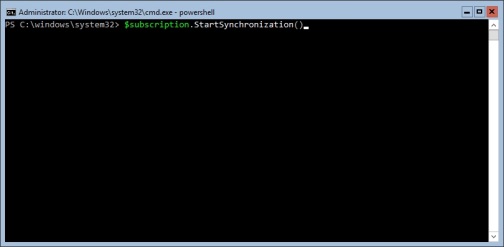
- to start synchronization type $subscription.StartSynchronization() and press Enter